

Spike Week Tools help fantasy football players make smarter decisions by turning complex data into clear, useful insights. Whether you’re looking for unique player combos, stacking strategies, or ways to boost your tournament upside, these tools give you an edge. In this article, we’ll break down the Top 10 Features that make Spike Week a must-have for anyone serious about winning in Best Ball. Before we jump in, I’d be remiss not to highlight two standout perks of Spike Week Premium that go beyond the tools themselves: the weekly Lab Zoom calls and the buzzing Discord community. The Lab sessions offer a rare chance to dive deep into strategy with sharp minds, gaining real-time insights and asking the kind of questions that help refine your edge. And the Discord? It’s more than just chat—it’s a 24/7 hive of collaboration, bold takes, late-night pivots, and shared excitement that turns individual success into a collective pursuit. These spaces foster connection, inspiration, and ongoing growth for all Best Ball players.
My Top 10
- One thing that sets Spike Week apart is its commitment to constantly raising the bar—not just with cutting-edge Best Ball tools, but with elite customer service and unmatched responsiveness. Whether it’s a quick fix, a feature request, or help navigating a tricky strategy, the support team is engaged, knowledgeable, and genuinely invested in the user experience. And with new features dropping regularly based on real user feedback. Where else can you talk directly to the developer of the tools?
- Spike Week Tools provide coverage across all sports – NFL, MLB, College Football, Golf, and beyond—so no matter your passion, you have a tool available. Seamlessly integrated with Underdog, DraftKings, and Drafters, these tools are designed to elevate gameplay. Plus, with TournamentDB now available for FastDraft, users can unlock advanced insights and optimize tournament strategies with speed and precision.
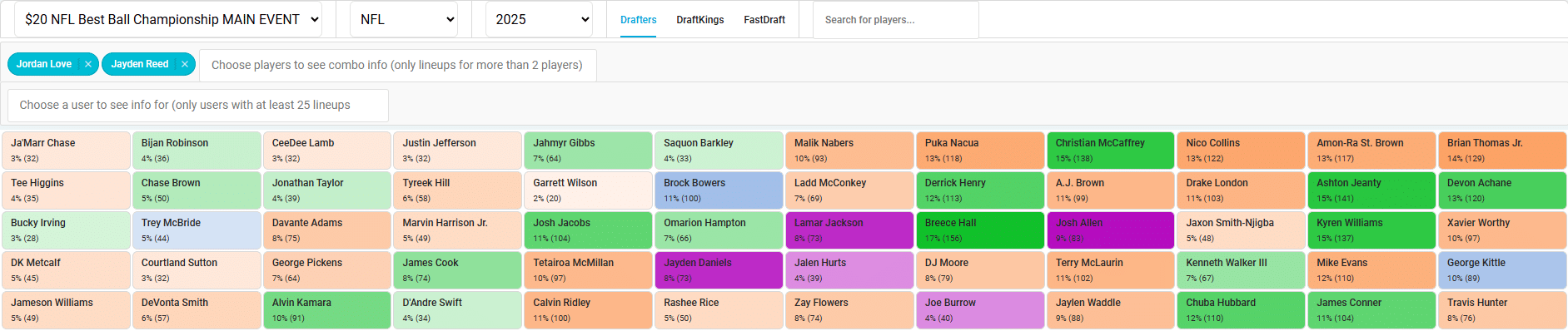
- TournamentDB is the biggest edge in all of Best Ball, it shows the lineups that have already been drafted in open tournaments for Drafters, FastDraft and DraftKings (the information they have provided on https://dknetwork.draftkings.com/). The Draft Board is my personal favorite feature in TournamentDB. I even use it on mobile while walking my dog. Let’s look at the stack of Jordan Love + Jayden Reed. We can easily see in the Drafters Main event that drafters rarely draft this combo with players on the left side of the board. Knowing what elite players QB stacks are commonly paired with gives you an advantage because you know know pairing them with Ja’maar Chase or CeeDee Lamb narrows down the field of teams you are competing against with this roster.
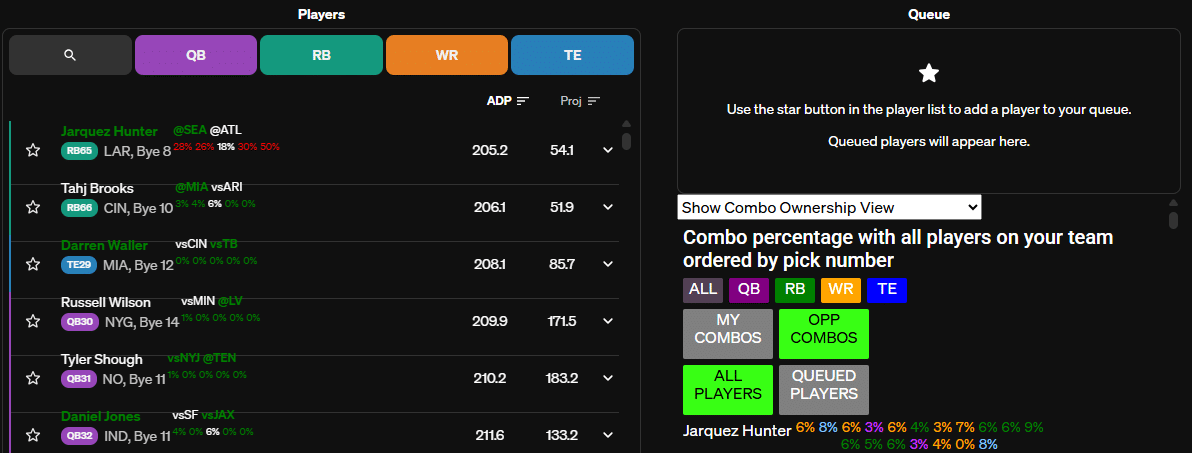
 With Opponent Combos in the Draft Hacker you can view similar information to what I discussed above with TournamentDB; the difference being this is narrowed down exclusively to the opponents in your draft rooms. This feature is available for Underdog, Drafters and DraftKings. Let’s look at Jarquez Hunter in the Draft Hacker, he’d be a very good pick on my team! The highest he is combined with any player on my roster is my 4th RB of Bhayshul Tuten at 9%, he is only paired with either of my quarterbacks 3% of the time.
- Highlighted Correlations – Based on my Draft Hacker settings, both team stacks and Week 16/17 playoff stacks are highlighted in green for easy visibility.
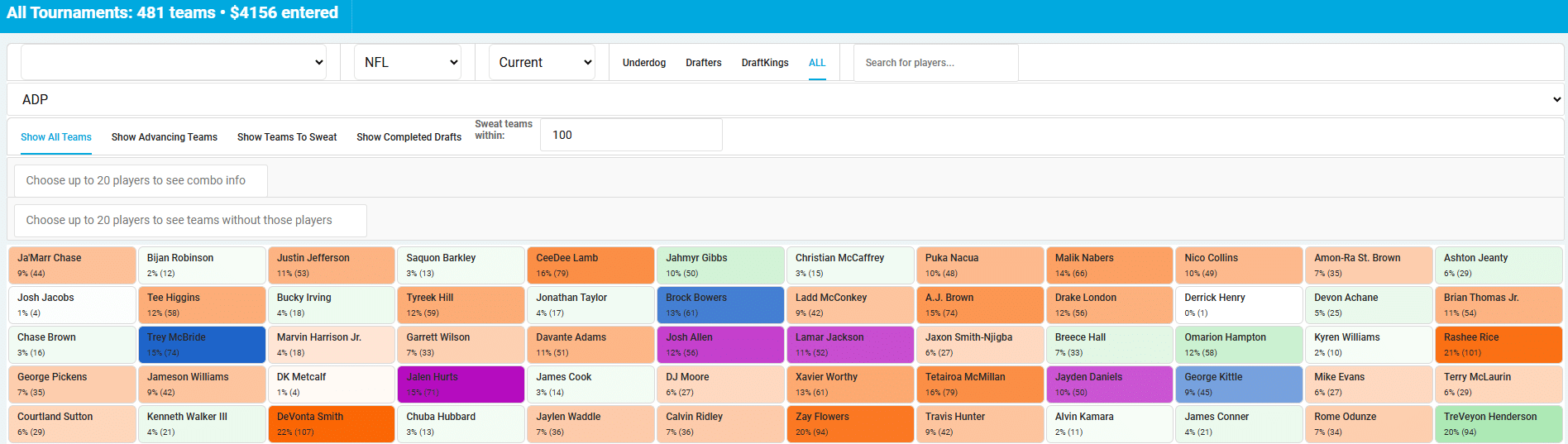
- Within DraftIQ you can view your entire portfolio under the All option. I love the draft board view to understand how my portfolio is set up to succeed. A quick look and you’ll notice the purple is popping; Year of the Elite Quarterback.
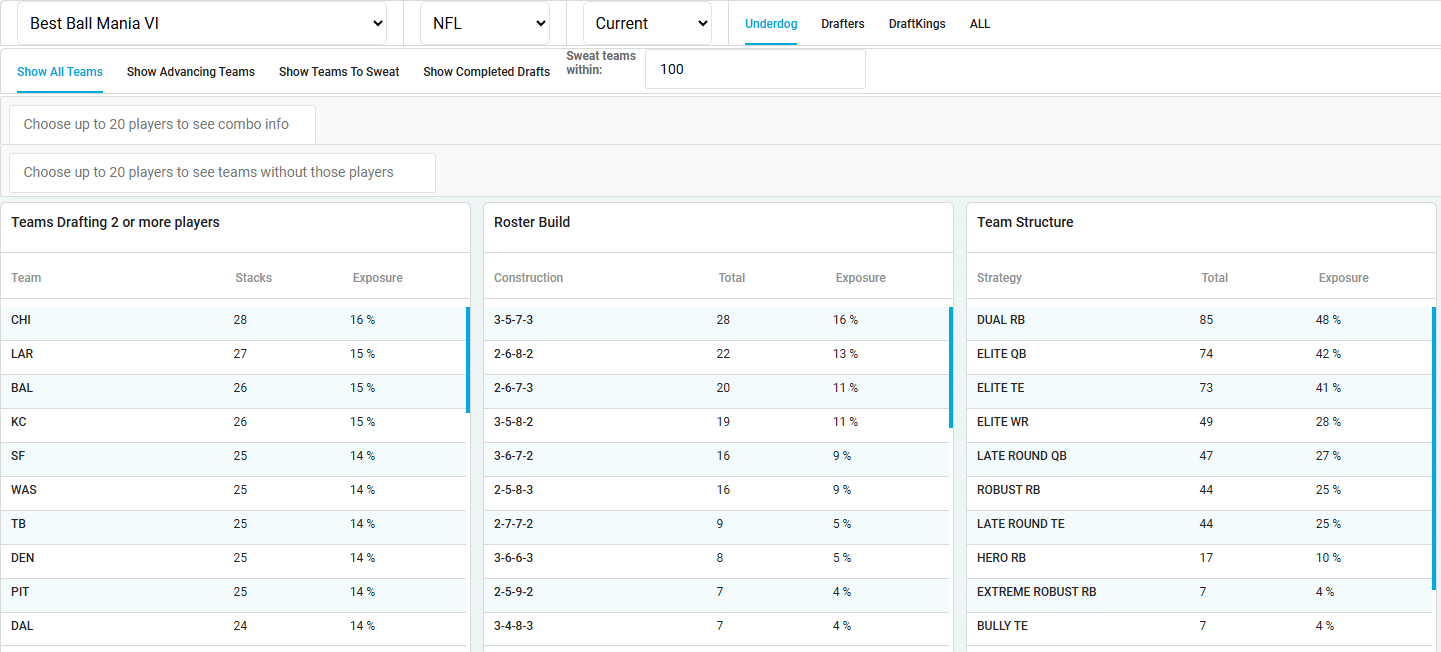
- Opponent Exposure in DraftIQ – What in the world are my opponents doing? No better way to check out how the field is stacking, building rosters or what team structures they are using. Is this the year of 3QB? Well, my opponents sure seem to believe that.
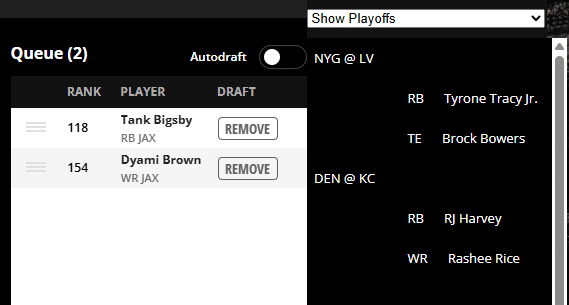
- Show Playoffs in the Draft Hacker – I love being able to dropdown to Show Playoffs and be able to review what Week 17 correlations I already have on my roster and to decide which ones i may want to expand on.
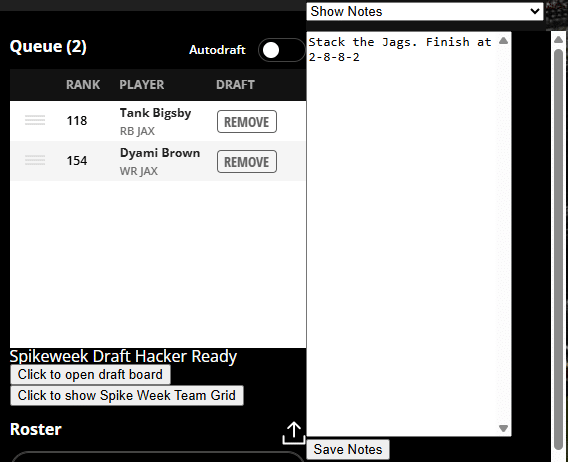
- Show Notes for slow drafts. Ever been in a slow draft and you can’t remember what your plan was last round? Problem solved, you can save notes for yourself to speed up your process and you don’t have to start over to figure out your strategy every time you are on the clock.
- My Draft Planner – Put your plan on paper… well internet paper. My Draft Planner helps you set entry goals for specific contests, then calculates your daily draft pace and remaining cost. It’s designed to promote responsible drafting and prevent burnout. Bonus: It prefills based on the teams you’ve uploaded to DraftIQ.